IC Imaging Control Features

IC Imaging Control ships in the following four editions:

Pro Edition

Pro Edition

This edition works with all cameras, frame grabbers and converters that ship with a WDM Stream Class driver and can be purchased online or by fax.
  TIS Edition

TIS Edition

This edition ships free of charge with all cameras, frame grabbers and converters manufactured and sold by The Imaging Source. [1]
Sony Edition

Sony Edition

This edition ships free of charge with all cameras manufactured by Sony and sold by The Imaging Source. [2]
  Teli Edition

Teli Edition

This edition ships free of charge with all cameras manufactured by Teli and sold by The Imaging Source. [3]
Feature supported = Feature supported    Feature not supported = Feature not supported
Basic FunctionalityPro EditionTIS EditionSony EditionTeli Edition
Real-Time Video Preview
IC Imaging Control allows real-time preview of video streams up to the maximum frame rate of the video capture device. Furthermore, IC Imaging Control can preview multiple video streams at once, making it ideally suited to surveillance applications.
Feature supportedFeature supportedFeature supportedFeature supported
Overlay
IC Imaging Control provides a powerful overlay object that allows text and graphics to be drawn onto a live video stream. An overlay event allows the overlay to be modified for every frame of an image stream. It is therefore possible to draw a frame count, clock or sensor information on the video stream, for example. The overlay can be either rendered on the live display, in the AVI file or in the ring buffer.
Feature supportedFeature supportedFeature supportedFeature supported
Scroll and Zoom
IC Imaging Control provides built in scrolling and zooming. The image can be easily steplessly zoomed to fit the size of the control or the entire window.
Feature supportedFeature supportedFeature supportedFeature supported
Acquisition of Single Frames
Single image frames can be captured from a live video stream.
Feature supportedFeature supportedFeature supportedFeature supported
Save Image to File (BMP, JPEG)
Once images have been acquired to the image buffer, they may be saved as a BMP or JPEG file.
Feature supportedFeature supportedFeature supportedFeature supported
Acquisition of an Image Sequence
A predetermined number of frames can be acquired to separate image buffers, which are organized as a ring buffer. Using IC Imaging Control's direct image buffer access, individual frames or sequences may be manipulated and/or saved.
Feature supportedFeature supportedFeature supportedFeature supported
Output Features
IC Imaging Control stores image data in an array of predetermined buffers, known as a ring buffer. The first image is written into the first buffer, the next image into the second buffer etc. until an image is written into the last buffer. The next image will overwrite the first image in the ring buffer (and so on).
Feature supportedFeature supportedFeature supportedFeature supported
Event Controlled Image Processing
IC Imaging Control fires an event each time it has finished writing to an image buffer. This has the advantage that the end-user application does not have to establish which buffer contains the most recent, complete image. For operations on the overlay, IC Imaging Control fires an event every time a new frame has been delivered by the video capture device. Using this event, an application is able to implement a frame dependent overlay, i.e. a frame counter that appears on the video stream.
Feature supportedFeature supportedFeature supportedFeature supported
Capture Pause
Pausing capture allows the CPU load for a variety of applications to be reduced, as long as there is no need to perform post acquisition image processing. Additionally, it offers an efficient means by which to start AVI capture without latency. Applications that occasionally require an image to be captured benefit from this feature, as they may keep the video stream initialized, thus eliminating the need to perform the startLive - stopLive initialization sequence.
Feature supportedFeature supportedFeature supportedFeature supported
Timestamps
IC Imaging Control provides timestamps for every frame of the image stream. As soon as an image stream is initialized, a reference timer for this stream is started. The timestamps for each frame are dependent upon this stream timer. The current value of the stream timer can be retrieved from IC Imaging Control. With this information, an application can calculate the point in time at which a frame was sent into the image stream.
Feature supportedFeature supportedFeature supportedFeature supported
Advanced FunctionalityPro EditionTIS EditionSony EditionTeli Edition
Programmatic WDM Device Selection
IC Imaging Control automatically recognizes video capture devices with a WDM Stream Class driver installed on a PC. Newly added USB, Firewire, PCI, PC-Card, DV video capture devices with a WDM Stream Class driver immediately appear in the list. It is possible to select a video source, a video norm (NTSC/PAL), a video format (width, height, color space) and an input channel.
Feature supportedFeature supportedFeature supportedFeature supported
WDM Device Selection with Shipped Dialog
IC Imaging Control provides a dialog box that allow the end-user to open a device and configure the video norm, video format, input channel, frame rate and orientation (horizontal and vertical flip state).
Feature supportedFeature supportedFeature supportedFeature supported
Brightness, Contrast, Saturation, Gain etc.
Video capture devices can be programmatically queried for their settings in order to build customized dialog boxes. Amongst others, the following image settings are supported: brightness, contrast, hue, saturation, gain and exposure. All changes that are made are immediately visible on the live video stream.
Feature supportedFeature supportedFeature supportedFeature supported
Zoom, Focus, Iris, Pan, Tilt and Roll
Video capture devices can be programmatically queried in order to build a customized image setting dialog box. Amongst others, the following image settings are supported: zoom, focus, iris, and pan/tilt/roll. All changes that are made are immediately visible on the live video stream.
Feature supportedFeature supportedFeature supportedFeature supported
Support for DCAM and non-DirectX Properties
IC Imaging Control 2.0 introduced VCD (Video Capture Device) properties as a generic, hardware independent and extendable way to control the settings of a video capture device which are not defined in DirectShow. With VCD properties, it is possible, for example, to control special DCAM properties, such as white balance red, white balance blue or to trigger the white balance one push function.
Feature supportedFeature supportedFeature supportedFeature supported
Shipped Dialog for Manipulating all Properties
IC Imaging Control provides a dialog that allows all properties of a video capture device to be manipulated. The source code for this dialog is shipped with IC Imaging Control, thus allowed programmers to create their own customized dialog box.
Feature supportedFeature supportedFeature supportedFeature supported
Serial Numbers
If supported by the video capture device, its serial number can be retrieved with IC Imaging Control. With this feature, the video capture device can be used as a dongle.
Feature supportedFeature supportedFeature supportedFeature supported
Save and Restore all Device Properties
A set of functions that allows all settings of the currently opened video capture device to be saved to a file or written to memory. This can be later loaded and the settings of the video capture device restored.
Feature supportedFeature supportedFeature supportedFeature supported
Horizontal and Vertical Flip
IC Imaging Control can flip the live video stream horizontally or vertically.
Feature supportedFeature supportedFeature supportedFeature supported
Rotate Live Video Stream
IC Imaging Control can rotate the live video stream 90°, 180° and 270°.
Feature supportedFeature supportedFeature supportedFeature supported
Region of Interest (ROI)
As well as processing the full video stream, IC Imaging Control allows a region of interest to defined upon which all IC Imaging Control's features can be applied.
Feature supportedFeature supportedFeature supportedFeature supported
DV Drive Control (Play, Stop, Freeze, Fast Forward, Rewind)
The drive of DV devices (VCRs and camcorders) can be directly controlled by IC Imaging Control. Most common DV features such as fast forward, rewind, stop are available.
Feature supportedFeature not supportedFeature not supportedFeature not supported
Frame Rate Adjustment
All frame rates supported by the video capture device can be set.
Feature supportedFeature supportedFeature supportedFeature supported
Trigger
Cameras that are equipped with a trigger can be set to trigger mode by IC Imaging Control. In trigger mode, the camera starts the exposure of the sensor every time a trigger pulse is sent.
Feature supportedFeature supportedFeature supportedFeature supported
Supported HardwarePro EditionTIS EditionSony EditionTeli Edition
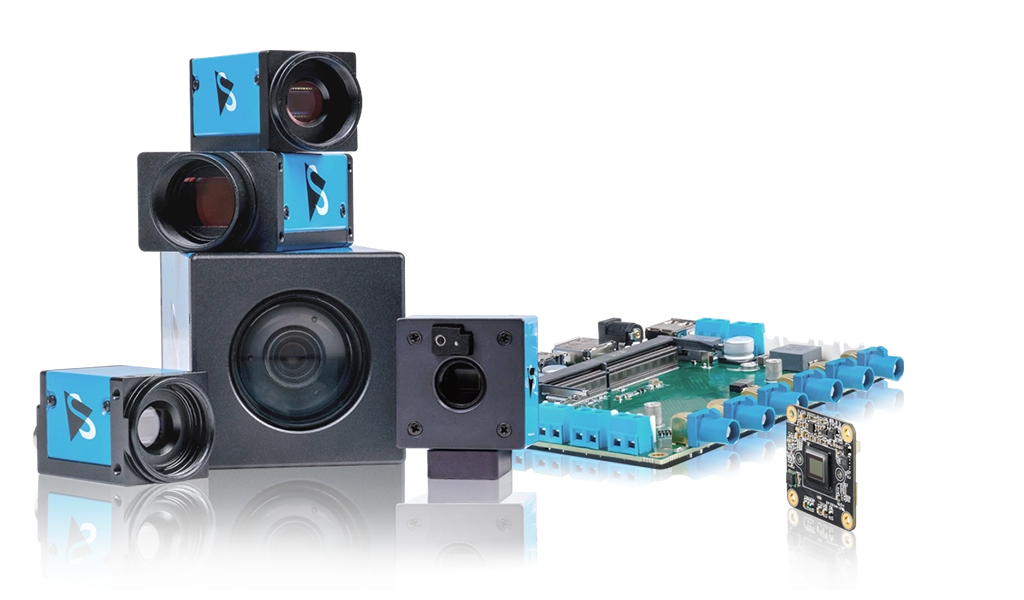
The Imaging Source Cameras
All FireWire and USB cameras that are manufactured by The Imaging Source ship with a WDM Stream Class driver and are thus compatible to IC Imaging Control.
Feature supportedFeature supportedFeature not supportedFeature not supported
The Imaging Source Video Converters
All video converters that are manufactured by The Imaging Source ship with a WDM Stream Class driver and are thus compatible to IC Imaging Control.
Feature supportedFeature supportedFeature not supportedFeature not supported
The Imaging Source Frame Grabbers
All frame grabbers that are manufactured by The Imaging Source ship with a WDM Stream Class driver and are thus compatible to IC Imaging Control.
Feature supportedFeature supportedFeature not supportedFeature not supported
Sony Cameras
Cameras manufactured by Sony and sold by The Imaging Source ship with a WDM Stream Class driver and are thus compatible to IC Imaging Control.
Feature supportedFeature not supportedFeature supportedFeature not supported
Teli Cameras
Cameras manufactured by Teli and sold by The Imaging Source ship with a WDM Stream Class driver and are thus compatible to IC Imaging Control.
Feature supportedFeature not supportedFeature not supportedFeature supported
WDM Stream Class Devices from other Manufacturers
All devices that ship with a WDM Stream Class device driver are compatible to IC Imaging Control. Typical devices in this category include: DV camcorders, video-to-DV converters and webcams.
Feature supportedFeature not supportedFeature not supportedFeature not supported
Supported Operating SystemsPro EditionTIS EditionSony EditionTeli Edition
Microsoft Windows Vista
IC Imaging Control runs under Windows Vista Ultimate, Home Premium, Home Basic, Business and Enterprise editions.
Feature supportedFeature supportedFeature supportedFeature supported
Microsoft Windows XP
IC Imaging Control runs under Windows XP.
Feature supportedFeature supportedFeature supportedFeature supported
Microsoft Windows 2000
IC Imaging Control runs under Windows 2000 as of service pack 4.
Feature supportedFeature supportedFeature supportedFeature supported
Mac OS
Currently, IC Imaging Control does not run under Mac/OS.
Feature not supportedFeature not supportedFeature not supportedFeature not supported
GNU/Linux
Currently, IC Imaging Control does not run under GNU/Linux.
Feature not supportedFeature not supportedFeature not supportedFeature not supported
Supported Programming EnvironmentsPro EditionTIS EditionSony EditionTeli Edition
Microsoft .NET
IC Imaging Control is available as a .NET component supporting Microsoft VB.NET and C#. There is a full set of sample applications for both languages.
Feature supportedFeature supportedFeature supportedFeature supported
Microsoft Visual C++
Microsoft Visual C++ 6 and 7 2003 are supported. IC Imaging Control contains a C++ class library that was especially designed for use with Microsoft Visual C++. The class library consists of a specialized IC Imaging Control grabber class.
Feature supportedFeature supportedFeature supportedFeature supported
Microsoft Visual Basic
Microsoft Visual Basic 6.0 is supported. All of IC Imaging Control's features are available through properties, methods, and events. There is no need to call 'C'-style functions nor to send API messages.
Feature supportedFeature supportedFeature supportedFeature supported
LabVIEW
The IC Imaging Control ActiveX can be used directly LabView. An example of this is the IC LabVIEW Extension.
Feature supportedFeature supportedFeature supportedFeature supported
Macromedia Director
The IC Imaging Control ActiveX can be used directly Macromedia Director projects.
Feature supportedFeature supportedFeature supportedFeature supported
Supported StandardsPro EditionTIS EditionSony EditionTeli Edition
DirectX / DirectShow
DirectX is the umbrella term for a number of APIs that describe audio and video data streams under Windows. As of Windows 98, DirectX has established itself as a standard for multimedia orientated image processing. Using this technology, any image acquisition software product can work together with any multimedia camera.
Feature supportedFeature supportedFeature supportedFeature supported
WDM Stream Class
Developed by Microsoft, WDM Stream Class is an abstracted approach to transporting high-bandwidth, time-stamped, latency-sensitive data streams between kernel-mode components or between kernel-mode drivers and user-mode components. All video stream device for which a WDM Stream Class driver is available are compatible with IC Imaging Control.
Feature supportedFeature supportedFeature supportedFeature supported
Supported 3rd Party SoftwarePro EditionTIS EditionSony EditionTeli Edition
ActivVisionTools
ActivVisionTools is a library of ActiveX components for machine vision applications that offers an easy to use graphical interface. Using IC ActivVisionTools Extension, all functionality of IC Imaging Control is available from within ActivVisionTools projects.
Feature supportedFeature supportedFeature supportedFeature supported
Halcon
HALCON is an extensive software library for machine vision applications. It provides more than 1150 operators with outstanding performance for blob analysis, morphology, pattern matching and many more. Using IC Halcon COM Extension or IC Halcon 7.1 Extension, all functionality of IC Imaging Control is available from within Halcon projects.
Feature supportedFeature supportedFeature supportedFeature supported
LabVIEW
LabVIEW is a graphical programming language from National Instruments. It is used for data acquisition, instrument control, and industrial automation on a variety of platforms. Using IC LabVIEW Extension, all functionality of IC Imaging Control is available from within LabVIEW projects.
Feature supportedFeature supportedFeature supportedFeature supported
Matrox MIL
Matrox Imaging Library (MIL) is a high-level programming library with an extensive set of optimized functions for image capture and image processing. Using IC MIL Extension, all functionality of IC Imaging Control is available from within MIL projects.
Feature supportedFeature supportedFeature supportedFeature supported

Footnotes:

[1] IC Imaging Control TIS Edition works exclusively with cameras and other image acquisition hardware manufactured by The Imaging Source and cannot be purchased separately.

[2] IC Imaging Control Sony Edition works exclusively with cameras manufactured by Sony and cannot be purchased separately.

[3] IC Imaging Control Teli Edition works exclusively with cameras manufactured by Teli and cannot be purchased separately.

This site is part of The Imaging Source Network. Other sites include Company Portal, Image Processing, Astronomy Cameras, Astronomy Cameras Blog, Blog caméras d'astronomie, Astronomy Cameras Competition, TX Text Control, TX Text Control Blog and Forums.